ECO Receipt
A lightweight AI web app that turns a photo of a grocery receipt — in almost any language — into a carbon footprint, a Green Score and a couple of simple swaps for the next shop.
 [Cover image]
From a crumpled receipt to a clearer habit — in one photo.
Frictionless AI input
Snap or upload a receipt in almost any language. A Gemini vision model reads the items, skips taxes and change, and estimates CO₂e for each one.
Micro-awareness, not guilt
Emissions become something relatable, like kilometres driven by car, plus two or three localized swaps for the next shop.
An interface that reacts
A high score brings a calm green scene with birdsong; a low one turns the screen dark red with thunder and drifting smoke.
The problem
Most people never connect a weekly grocery run with carbon emissions. Climate talk centres on factories and fuel, while everyday consumption quietly adds up. Existing GreenTech tools lean B2B — checkout integrations, donation round-ups, manual searches — so the everyday shopper is left without a simple way to see what a basket really costs the planet.
Shoppers can’t see it
- A receipt lists every price, never the carbon
- Climate talk centres on factories and fuel, not baskets
- Existing tools need manual entry or a retailer partnership
Why it matters
- Food systems drive about a third of global greenhouse gas emissions
- Item choice matters: a kilo of beef emits about 31× more than a kilo of tofu
- Thermal receipts are thrown away within minutes
Objectives
- One photo in, a footprint out — no install, no account
- Numbers people can feel and swaps they can actually make
- Any receipt, from any store, in almost any language
Sources: Crippa et al., Nature Food (2021); Poore & Nemecek, Science (2018), via Our World in Data.
Who it’s for
Everyday shoppers
People who buy groceries every week and have never seen their basket expressed in CO₂e.
Curious beginners
Students and first-timers who want to learn without installing anything or reading a report.
Households & families
Changing habits one shop at a time, with swaps that fit local food — like tempeh in place of beef.
Travellers & expats
Shopping abroad? The receipt can be in Japanese, Thai or German; the result comes back in English or Bahasa Indonesia.
Competitor analysis
Checkout tools, manual calculators and ECO Receipt, compared on what matters to an everyday shopper: who it serves, how data gets in and how the result feels.
Checkout & offset toolsCarbon Checkout · Climfy
B2B point-of-sale integrations, donation round-ups and corporate offsetting.
Store-side API integration or manual entry — the retailer has to partner first.
Static dashboards with dry financial or technical charts.
Footprint calculatorsManual trackers
Motivated users who are willing to log every purchase.
Search and type each item, one at a time.
Long forms that end in an abstract kg CO₂e number.
ECO ReceiptLive MVP
Everyday shoppers — B2C and educational, in the pocket at the moment of purchase.
One photo of any paper receipt, read by Gemini Vision. No retailer needed.
Score-reactive visuals and sound, plus plain-language swaps.
ECO Receipt differentiates by removing the input step entirely. Checkout tools need the store; calculators need patience. A receipt photo needs neither — and works with receipts from any store, today.
What I designed
Receipt-to-result flow
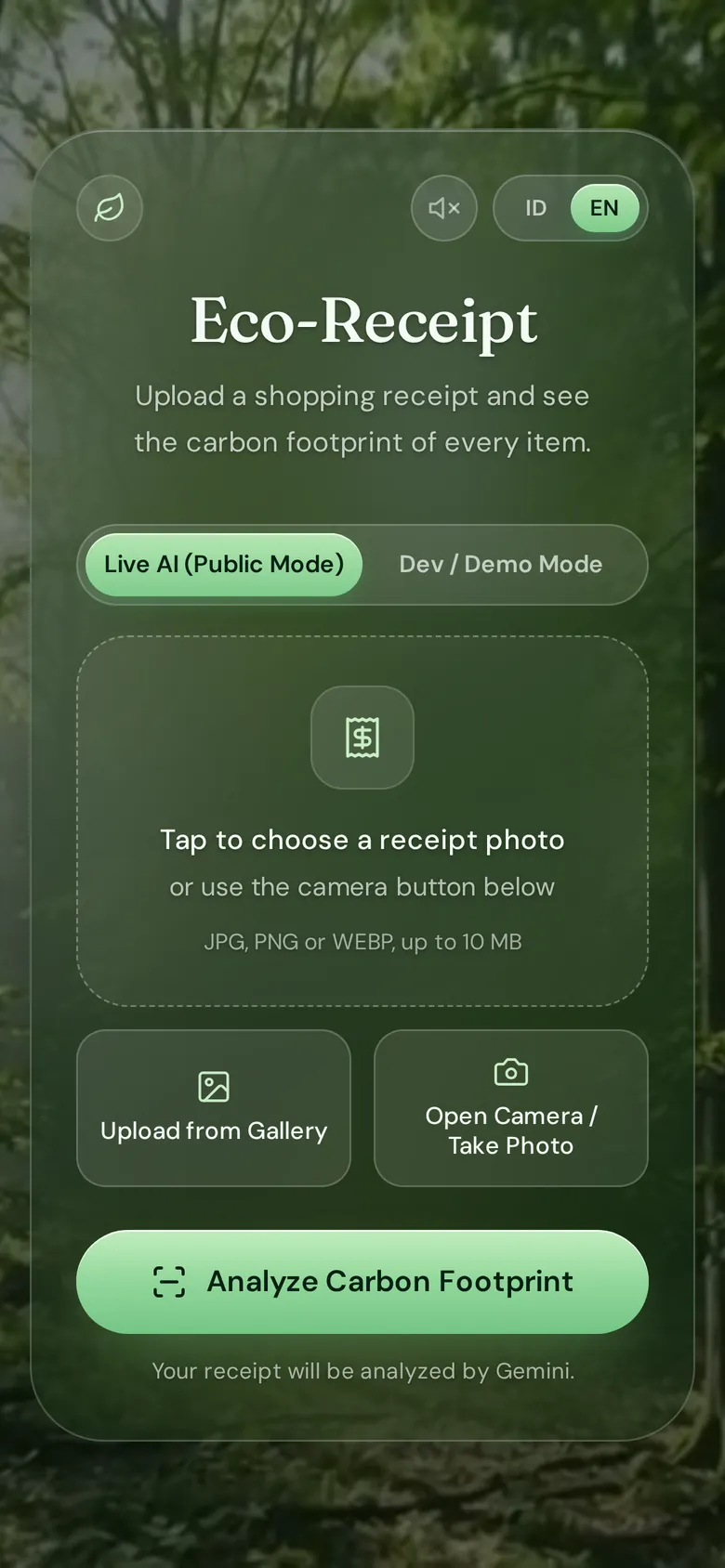
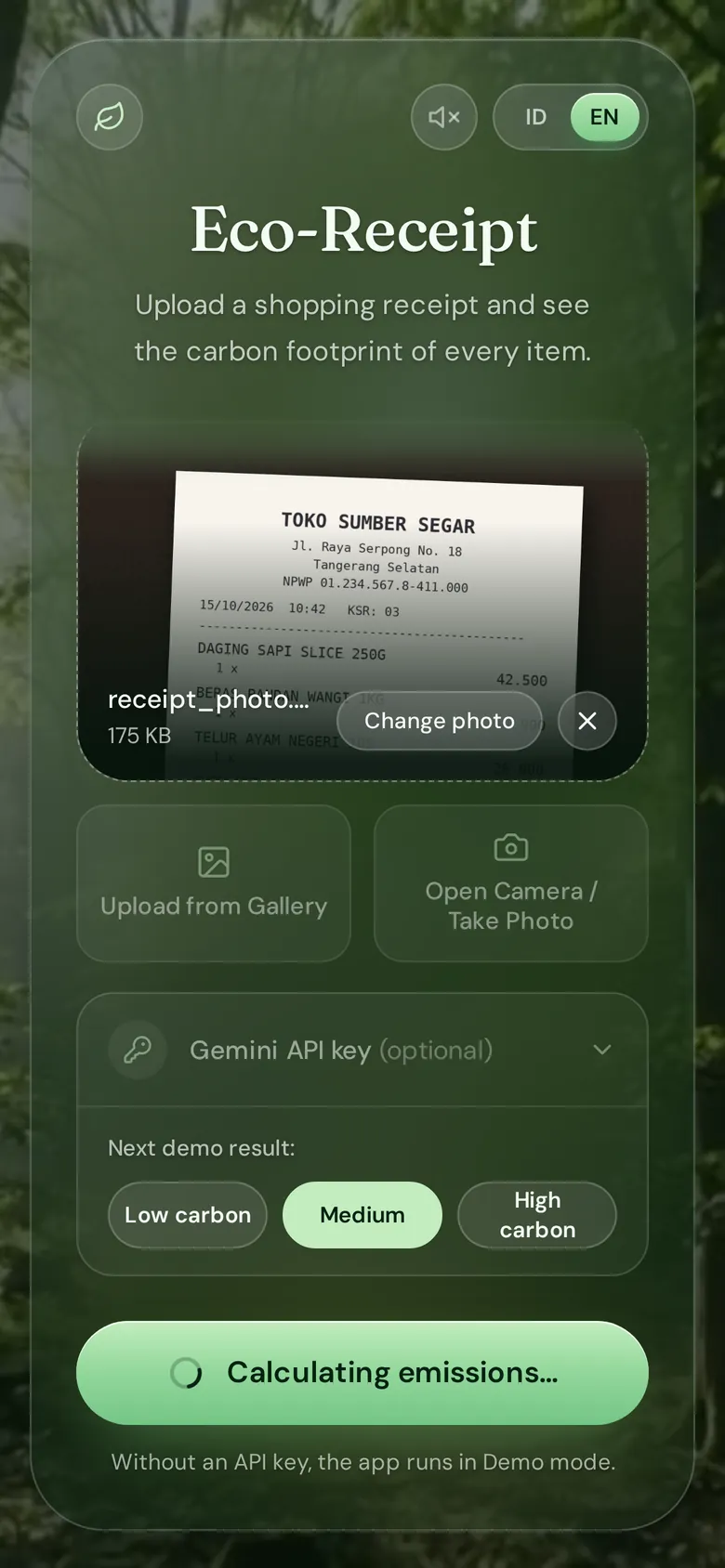
Camera or gallery upload, local image compression to save data, then a result screen with total CO₂e, a Green Score, the highest-emission items and clear advice.
Atmosphere system
The score drives the whole UI: glassmorphism over a living forest, weather and smoke particles on canvas, and generative soundscapes from the Web Audio API.
Safe, forgiving AI
The model is prompted to ignore non-product lines and to reject non-receipt images such as faces or landscapes, instead of inventing results.
Two modes & two languages
Live AI for the public, plus a Dev / Demo mode with low, mid and high samples, so anyone can try the full flow — in English or Bahasa Indonesia.
How I approached it
01 — Frame the audience
Chose B2C education over enterprise dashboards: change behaviour in the pocket, at the moment of purchase.
02 — Scan the field
Benchmarked checkout tools and footprint calculators — mostly B2B, manual entry or API-reliant — to find the gap.
03 — Design the feedback loop
Made the result felt, not just read: colour, motion and sound that match how the basket scored.
04 — Prototype with AI
Took the concept straight to a working, coded MVP with Gemini as a coding partner, then tuned the prompts and the interface until the flow felt effortless.
User flow
From the checkout counter to a better next shop: how a shopper moves between the web app and the AI — with a demo path that needs no API key.
- 01 · Shopper
Shop & pay
Groceries bought, a paper receipt in hand.
- 02 · Shopper
Open the link
No install — any phone, tablet or laptop browser.
- 03 · Shopper
Snap or upload
Take a photo of the receipt or pick one from the gallery.
CameraGalleryDrag & drop - 04 · Web app
Prepare photo
Resized on the device to save data before anything is sent.
- 05 · Web app
Demo mode
No API key? Low, mid and high samples show the full flow.
- 06 · Gemini AI
Read receipt
Items are read in the receipt’s own language; tax and change are skipped.
- 07 · Gemini AI
Estimate CO₂e
Each item gets a category and a kg CO₂e estimate.
- 08 · Gemini AI
Score & tips
A Green Score from 1 to 100 and two or three localized swaps.
- 09 · Web app
Result screen
Total footprint, a car-kilometre equivalent, the score and a mood that matches it.
GreenAmberStorm - 10 · Shopper
Act on a swap
One better choice on the next shop — and the loop starts again.
Flowchart
The logic behind one analysis — what the app checks before and after Gemini reads the receipt, and where it falls back instead of guessing.
- 01 · Web app
Photo chosen
From the camera, the gallery or a drag and drop.
- 02 · Web app
Valid image?
JPG, PNG or WEBP up to 10 MB — otherwise a short tip and pick again.
- 03 · Web app
Resize
Compressed on the device to 1600 px before upload.
- 04 · Web app
Live AI?
Without an API key, Demo mode shows a labelled sample result instead.
Low carbonMediumHigh carbon - 05 · Gemini AI
Gemini reads
Items, categories and kg CO₂e, returned as strict JSON.
- 06 · Gemini AI
Model busy?
If a model is busy or retired, the next one in line is tried.
- 07 · Gemini AI
A receipt?
Faces, landscapes and other photos are rejected with a retake tip.
- 08 · Web app
Validate
The JSON is checked and the total is recomputed from the items.
- 09 · Web app
Set the mood
The Green Score picks the scene: calm green, amber haze or storm.
- 10 · Web app
Show result
Footprint, score, items and tips.
Screens
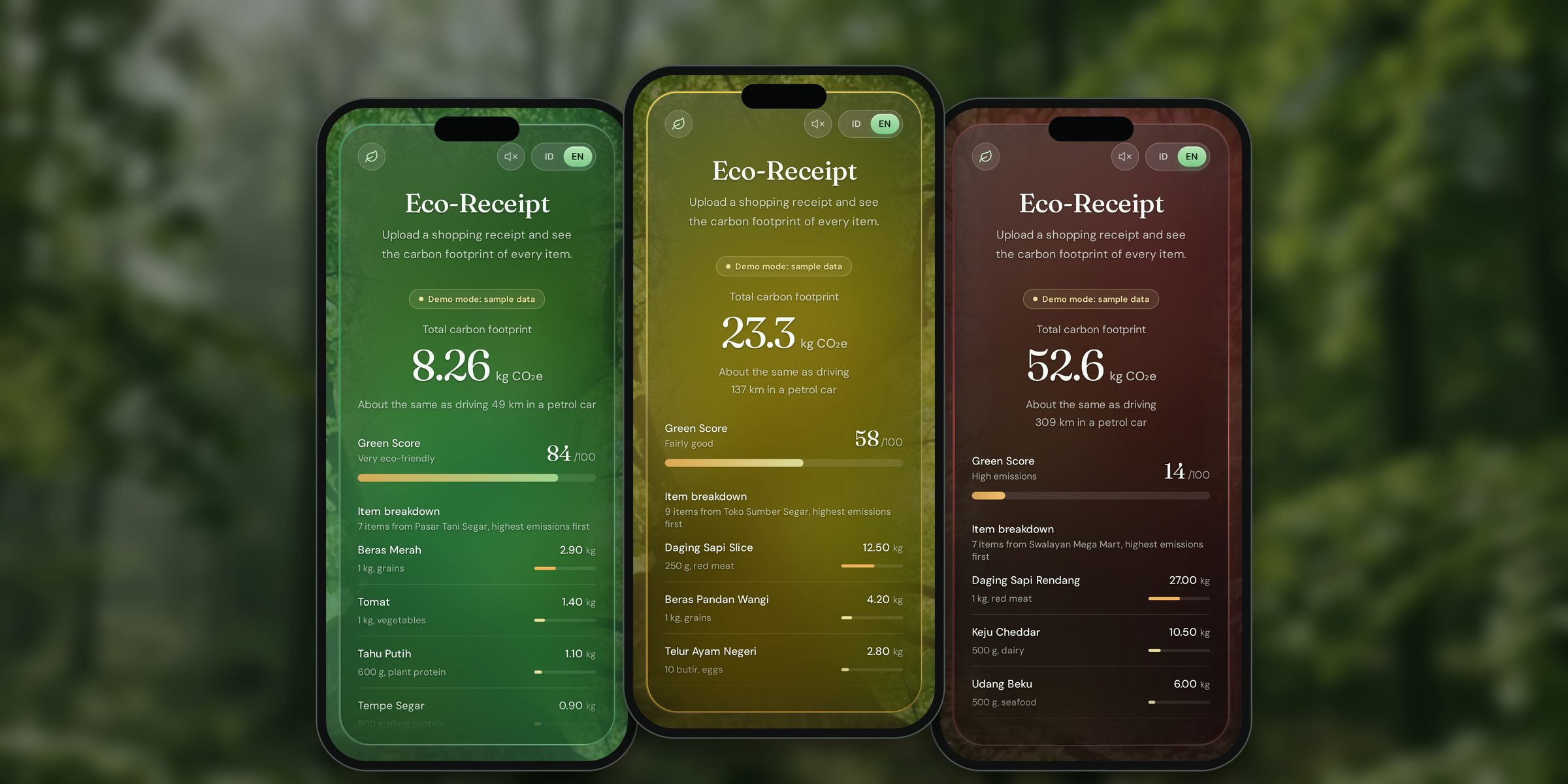
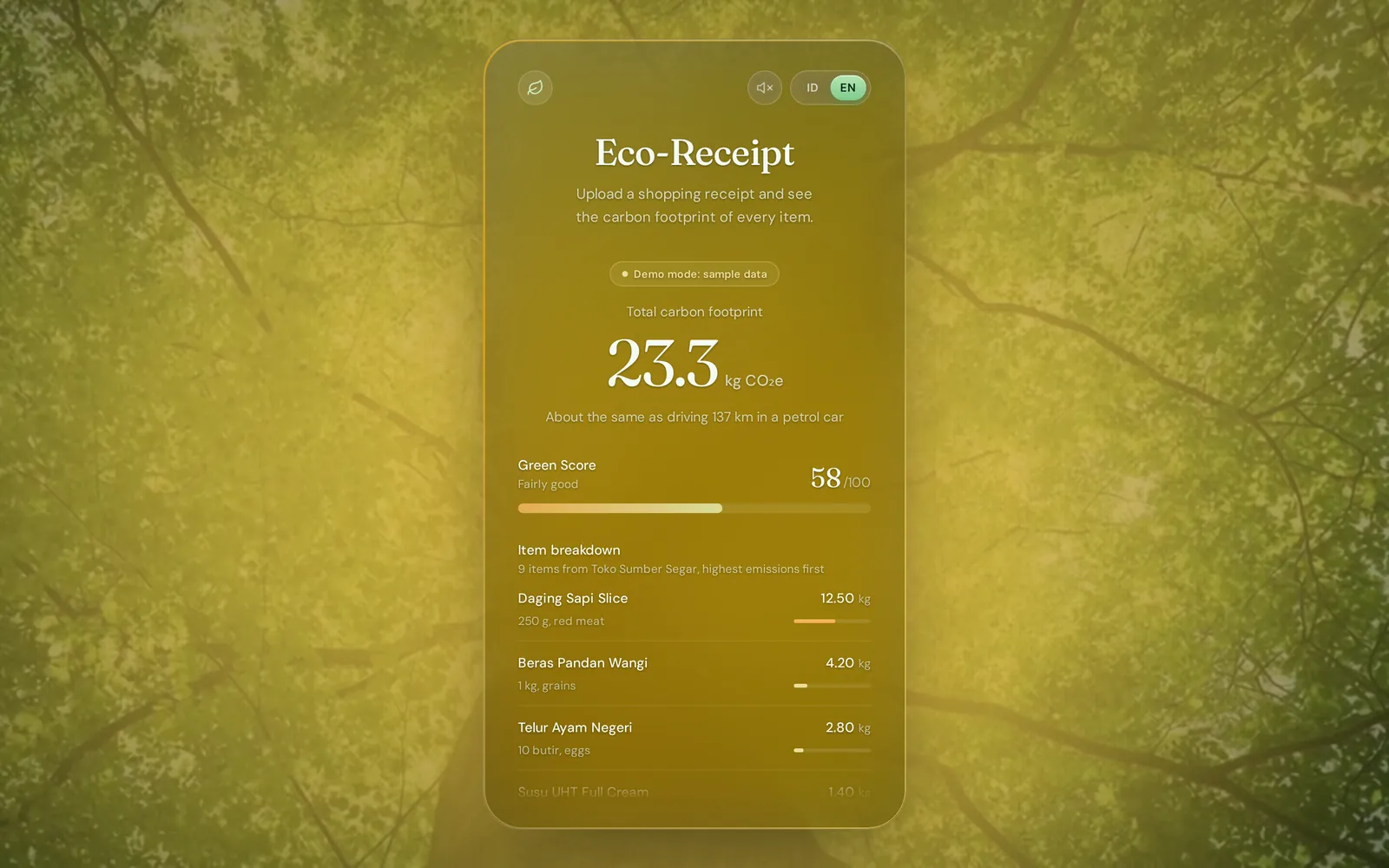
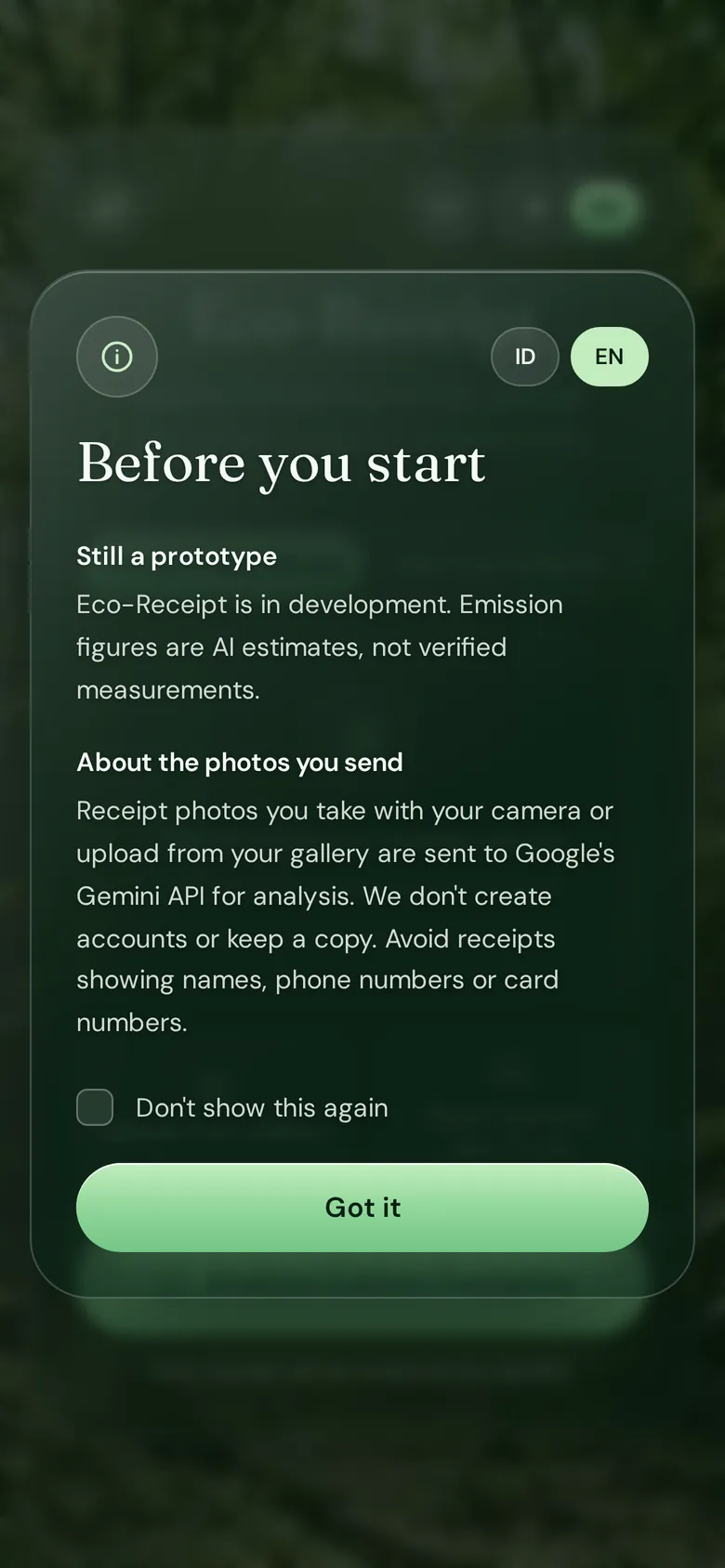
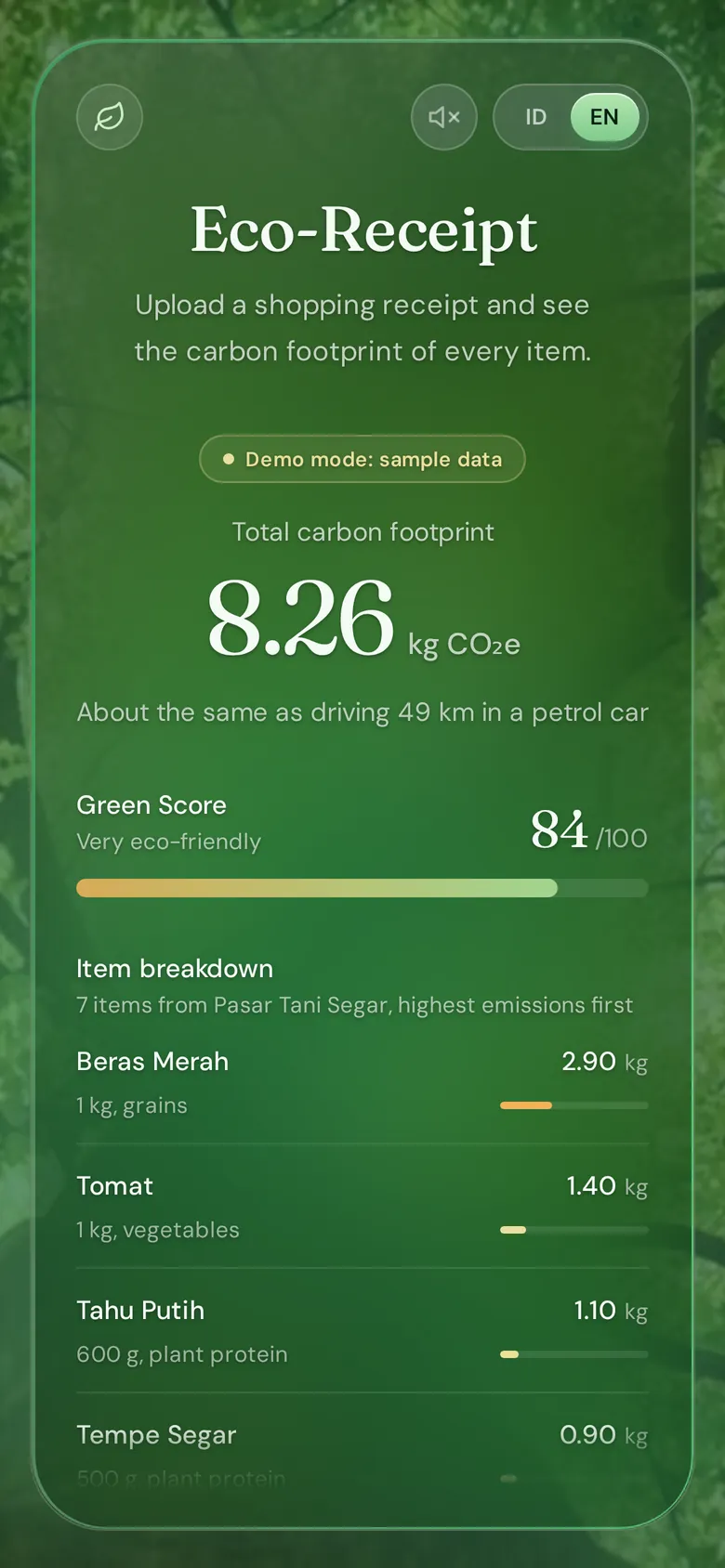
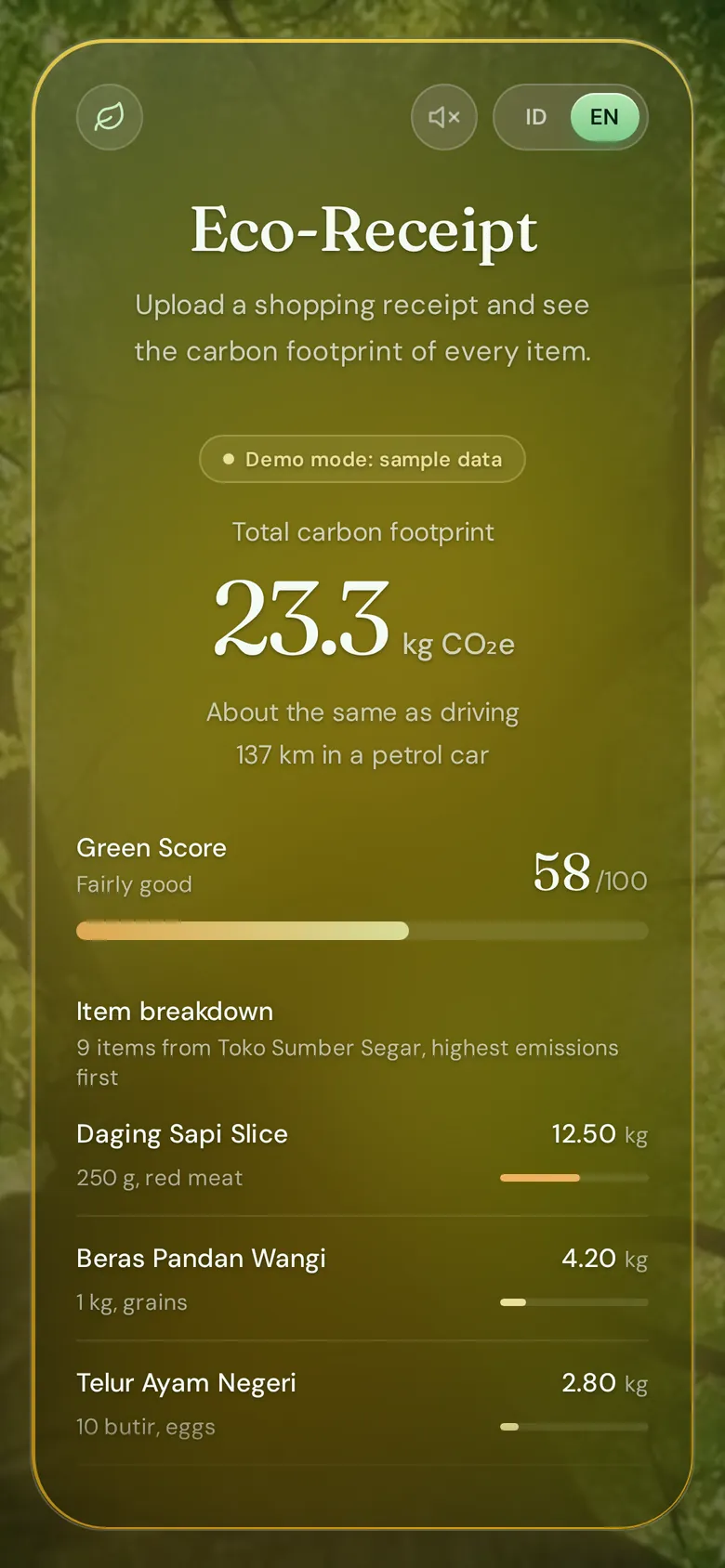
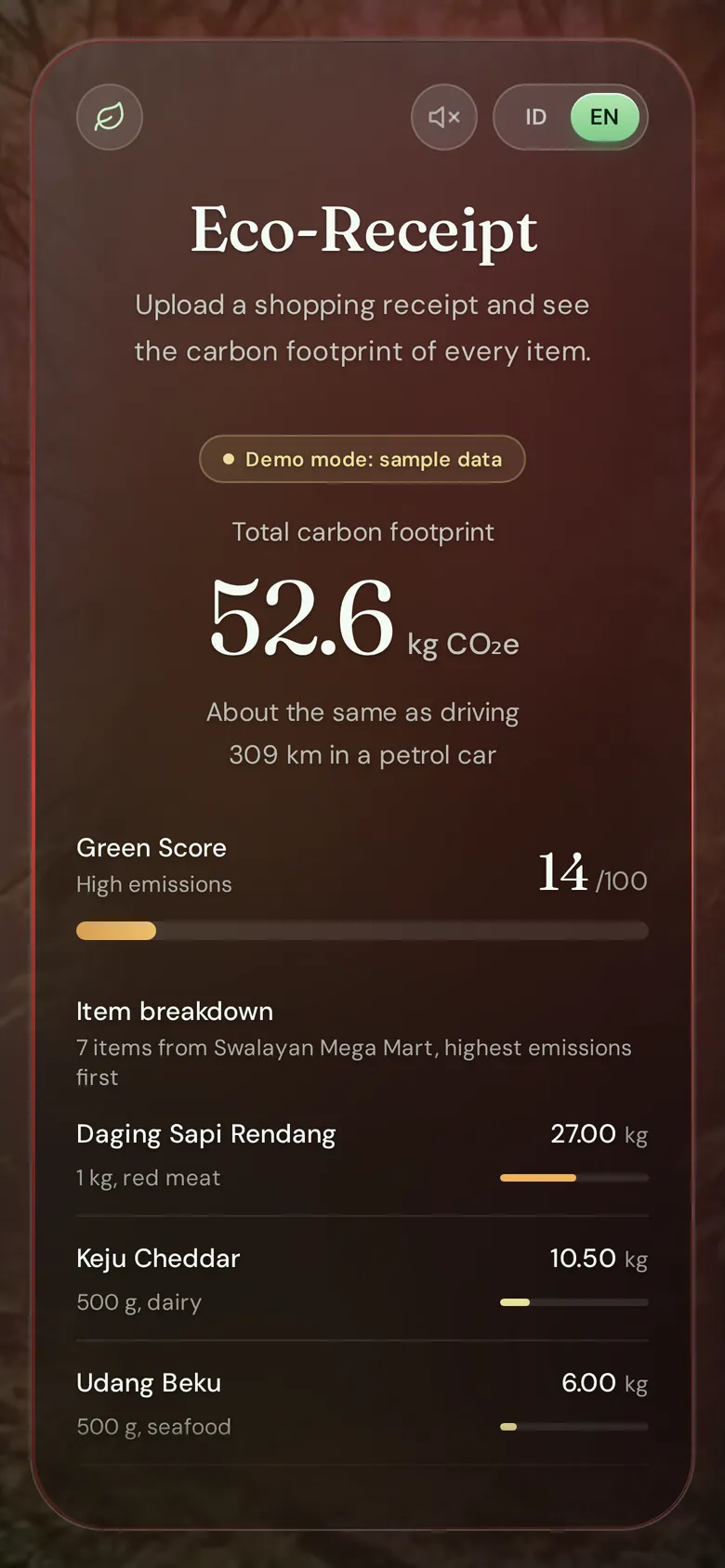
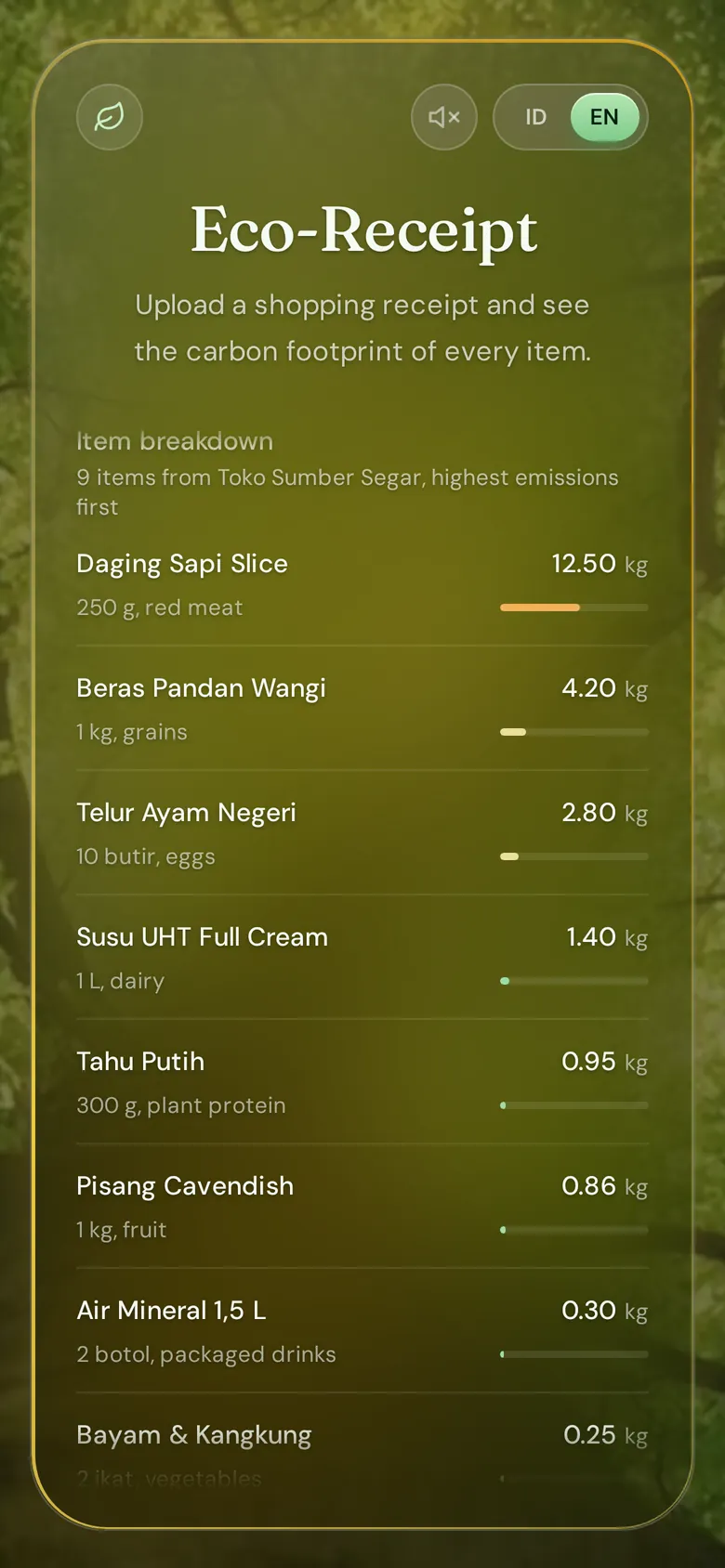
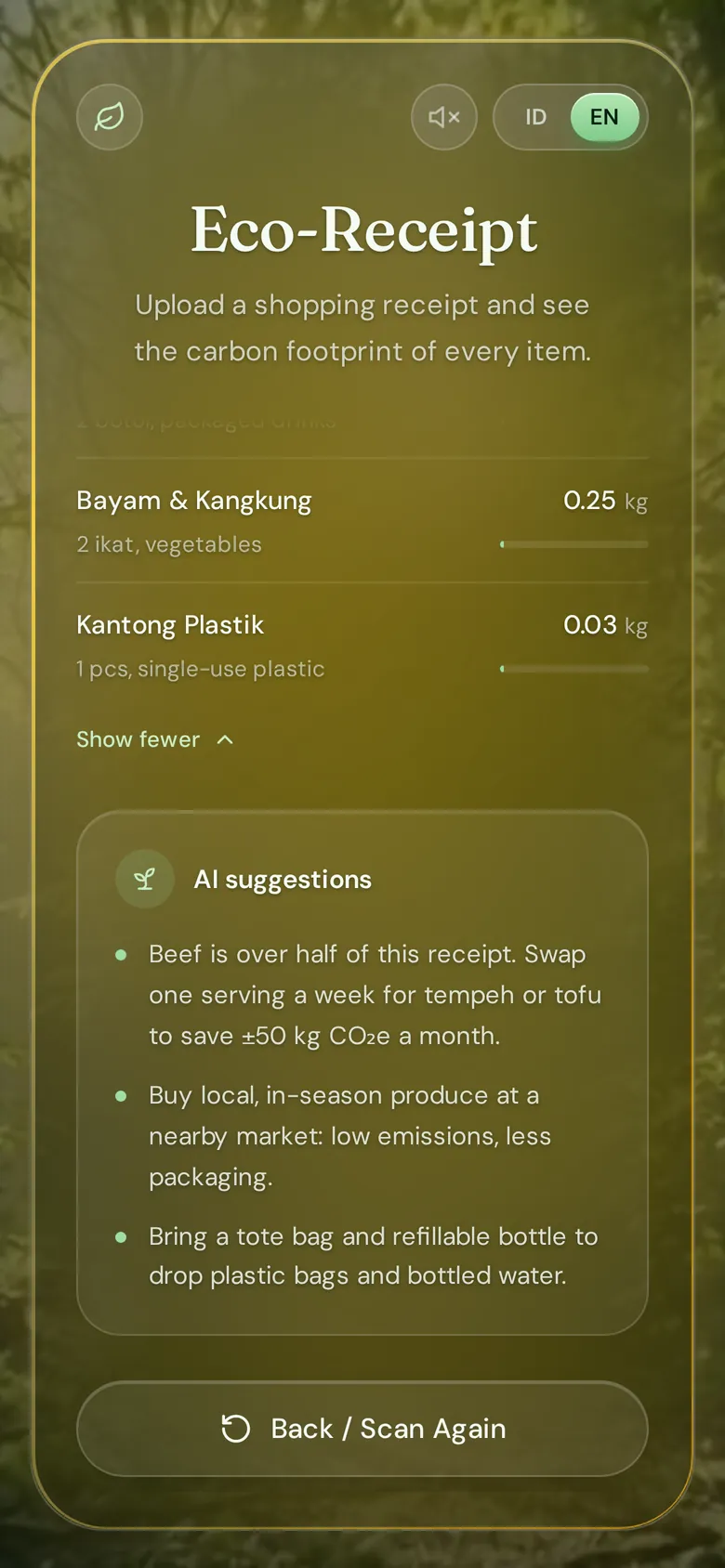
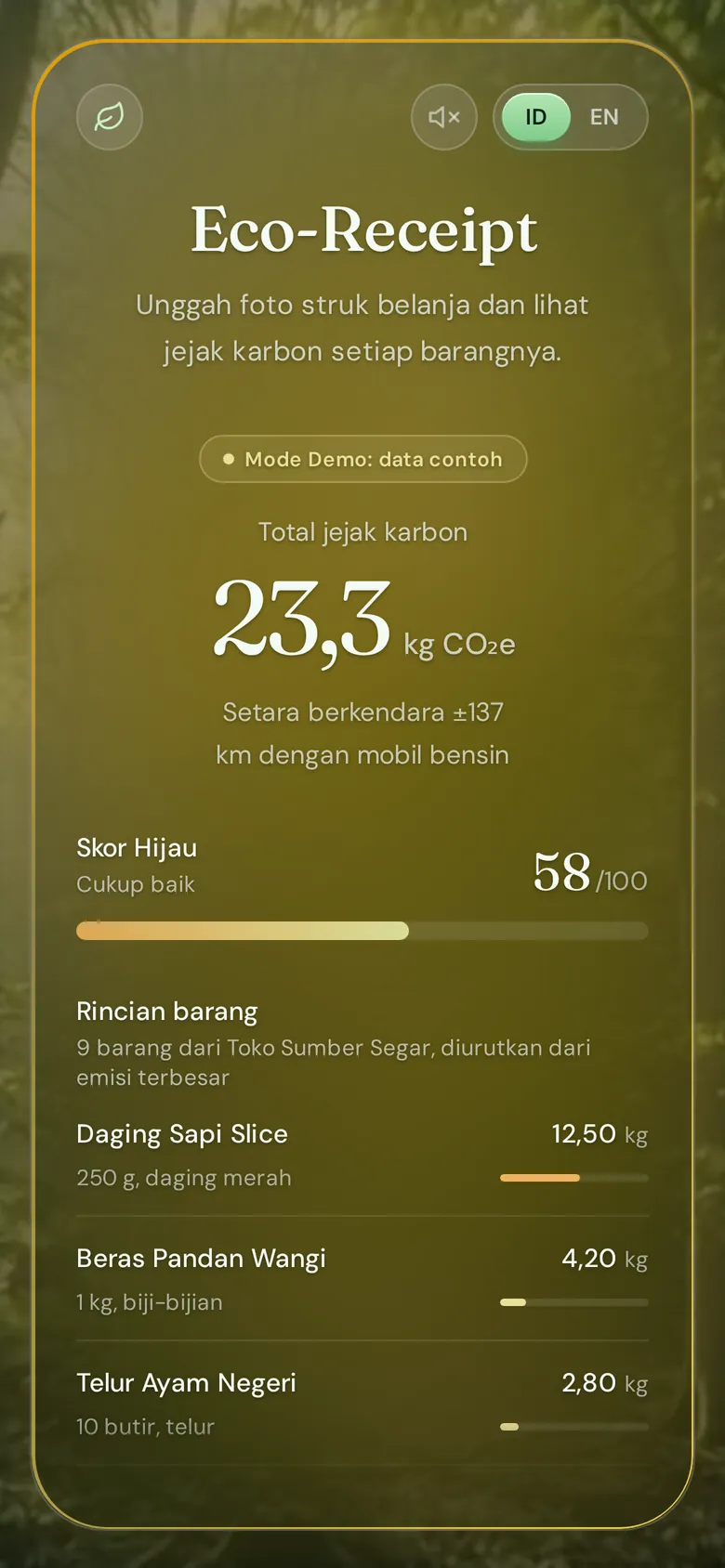
Real screens from the live MVP, captured in Demo mode with sample data: upload, the first-run notice, analysis, three very different results, the item breakdown, the AI suggestions and the Indonesian interface.
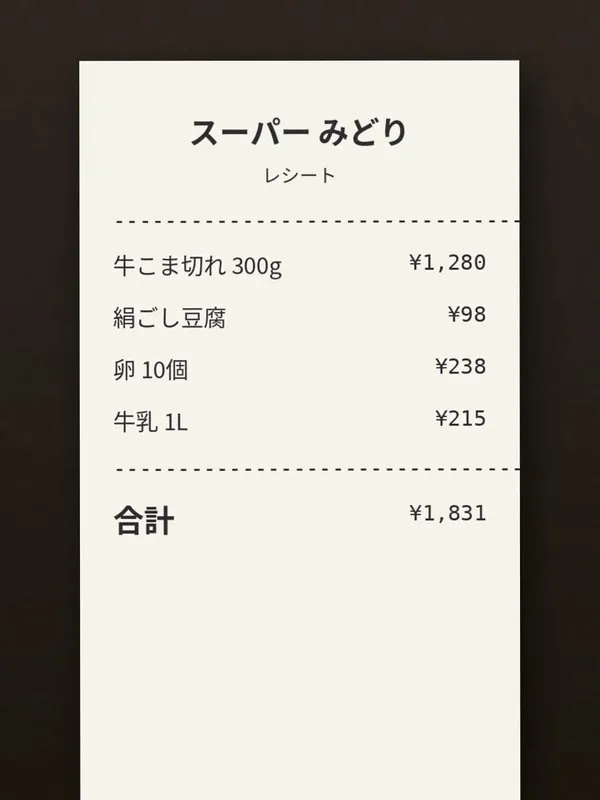
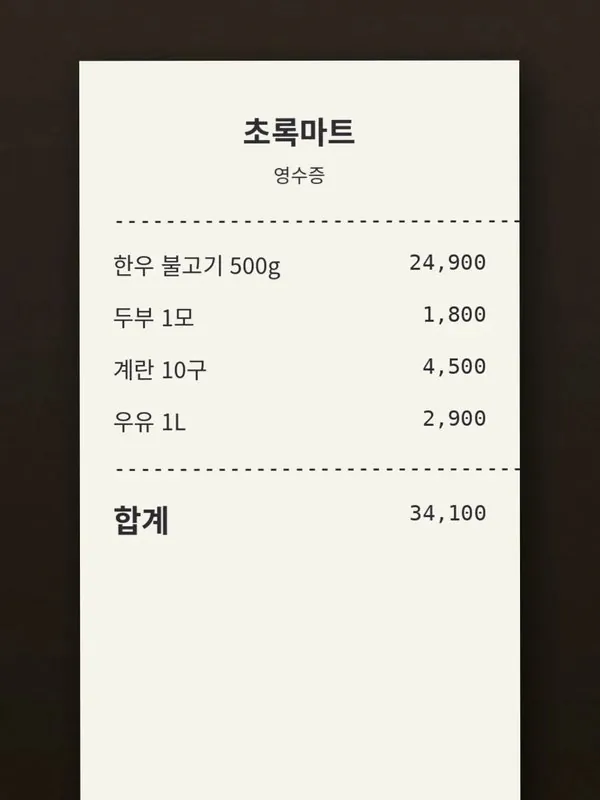
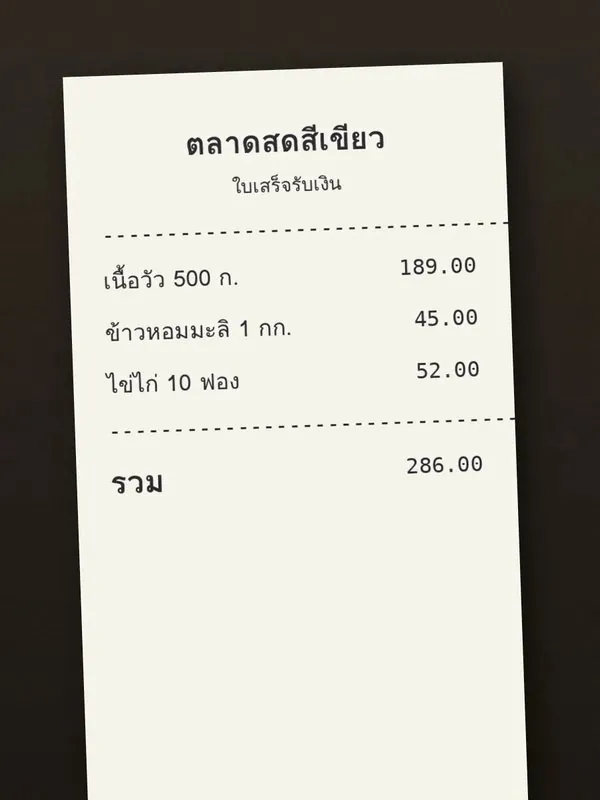
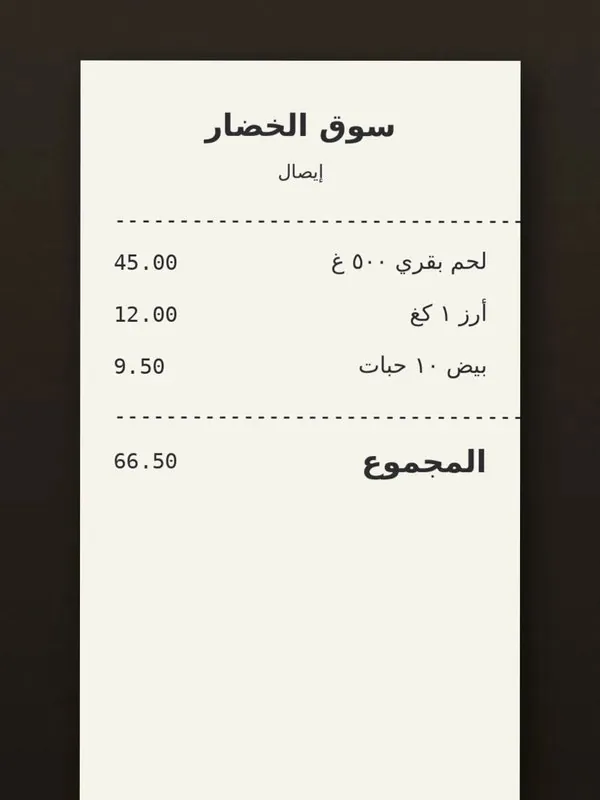
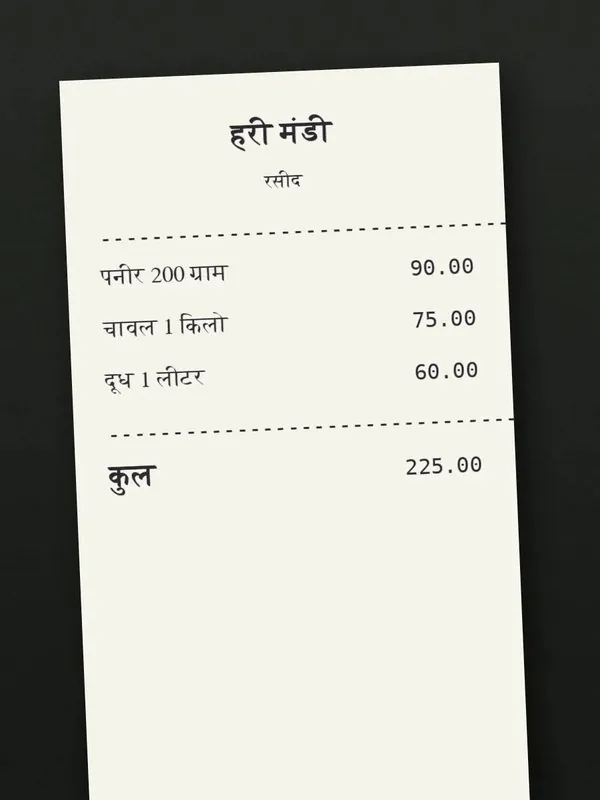
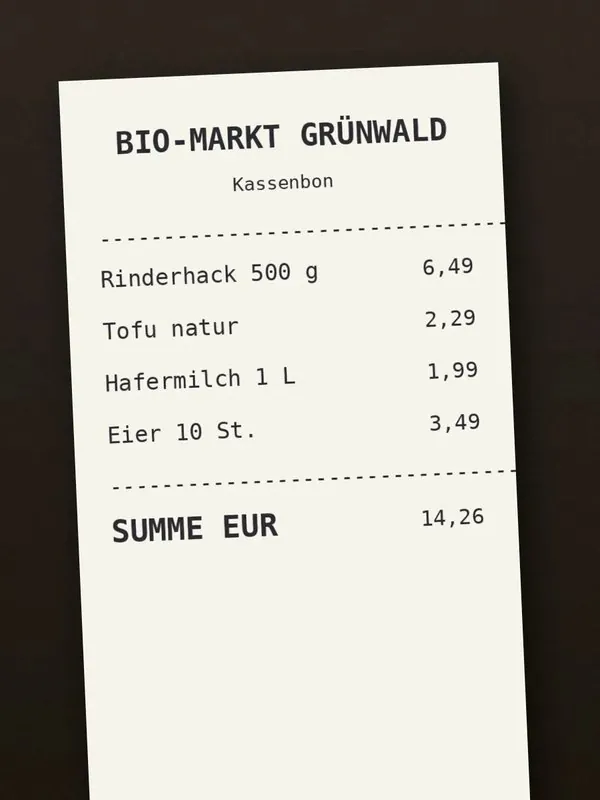
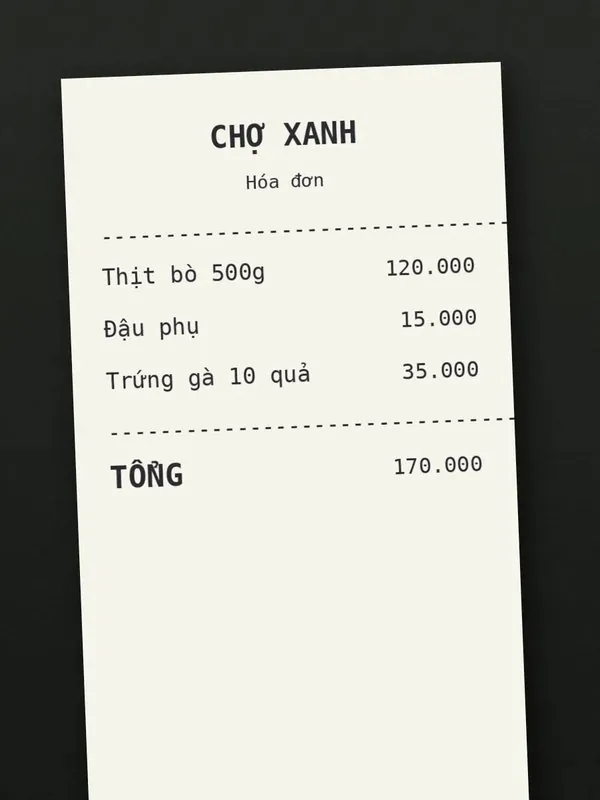
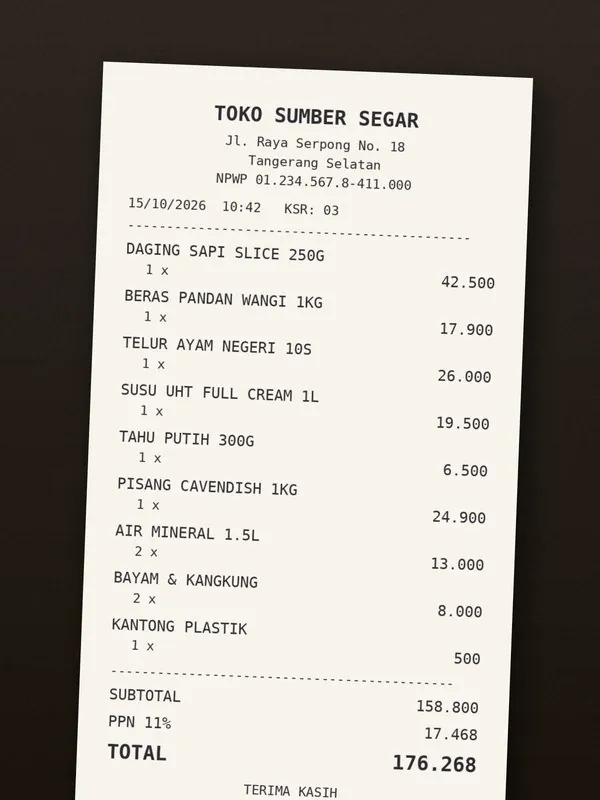
Any receipt, many languages
Gemini reads the text on the photo in its own script, so a Japanese, Thai or German receipt goes through the same flow as an Indonesian one. Item names stay exactly as printed; the analysis, the Green Score and the tips come back in English or Bahasa Indonesia.
Reading the result
A number you can feel
Total CO₂e in large serif type, translated into something familiar: 8.26 kg CO₂e is “about the same as driving 49 km in a petrol car.”
A score with a mood
A Green Score out of 100 with a plain label — 84 “Very eco-friendly”, 58 “Fairly good”, 14 “High emissions” — while the whole card shifts from forest green to amber to ember red.
Highest emissions first
The item breakdown is sorted by impact, each row with weight, category and a bar. The long tail folds away behind “Show more items”.
Advice that fits the basket
Three AI suggestions grounded in what was bought — when beef dominates: swap one serving a week for tempeh or tofu and save about 50 kg CO₂e a month.
Honest by design
Still a prototype
A first-run notice says it plainly: emission figures are AI estimates, not verified measurements.
Privacy up front
Receipt photos go to Gemini for analysis only. No accounts, no stored copy — and a tip to avoid receipts showing names, phone or card numbers.
Sample data is labelled
A “Demo mode: sample data” badge keeps anyone from mistaking a demo result for a real one.
Built with
Front end
Pure HTML, CSS and vanilla JavaScript with Tailwind — light enough to load fast on any phone.
Motion & sound
GSAP for transitions, HTML5 canvas for smoke and weather, Web Audio API for real-time soundscapes.
AI & hosting
Google Gemini’s multimodal model with an automatic model fallback, behind a small Cloud Run proxy; the app itself runs on Firebase Hosting.
Where it could go next
Memory over time
Accounts and history, so shoppers can watch their footprint fall week by week.
Connected receipts
Supermarket loyalty and e-receipt integrations, so no photo is needed at all.
Habits & community
Weekly goals, streaks and shared challenges to keep the nudge going.
Still an MVP — a working proof that a receipt photo can become a small, useful lesson.
Try the live app
The real web app, embedded. Try Live AI with your own receipt, or switch to Dev / Demo to explore the sample results.
Snap a receipt — the real thing.
The live MVP, running on Firebase. It loads here only when you ask for it.